Online booking for beauty professionals

You open the time.They take it.

Setup takes 10 minutesJoin now

The page at work

Four things the page
does without you.

Zero double bookings

A taken slot leaves the picker the same second. Two clients never land on 15:00.
Client base that fills itself

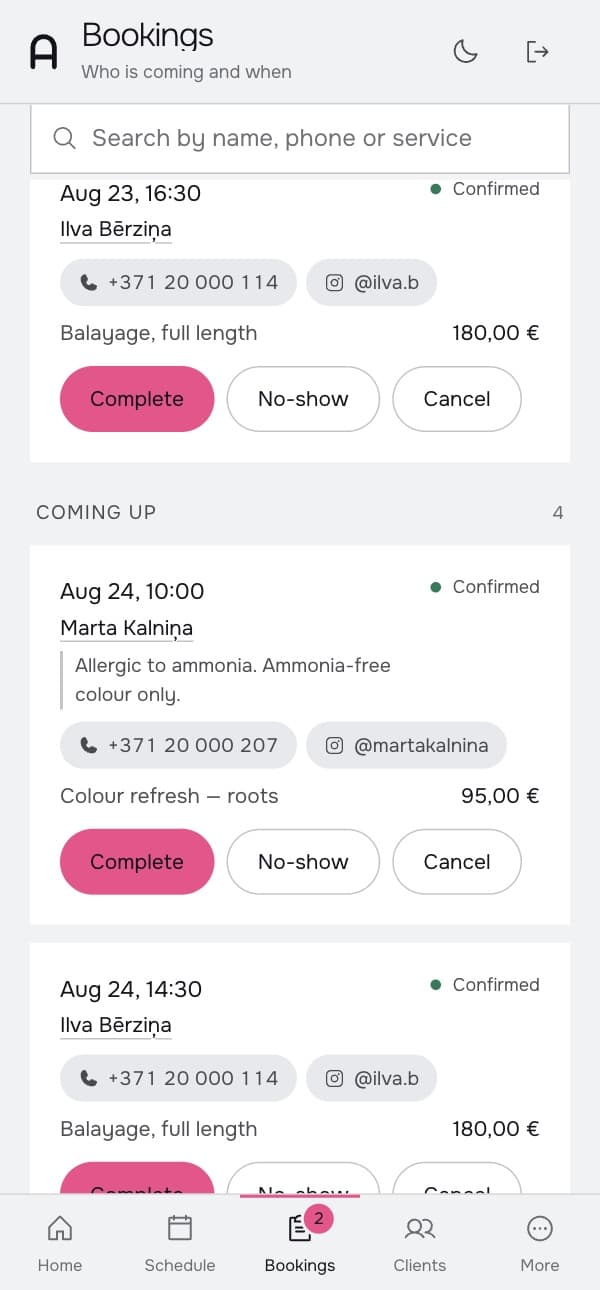
Every booking writes the client down: name, contact, what they had, when they were last in.

Booked around the clock

The page takes a booking at any hour. Confirm each one yourself, or let the page do it — that switch is yours.

A push, not a phone call

You get a notification the same second; the client puts the visit in their own calendar in one tap. More ways to notify, SMS among them, are in the works.

The old way

The thread you
stop having.

Every booking used to open with the same two messages and close half a day later, when you finally got back to your calendar. The page answers in the second it takes a client to tap a slot.

karlina.bActive 4h ago

Yesterday 23:41

  1. Hiii 💗 do you have any windows this week?23:41
  2. preferably thursday evening23:41
  3. hi! let me check and come back to you09:12
  4. any luck? 🥺13:04

Seen 13:04


Booked. Thu, Aug 13 — 18:30

Taken on the page at 23:42. Nobody typed a word.

The public page

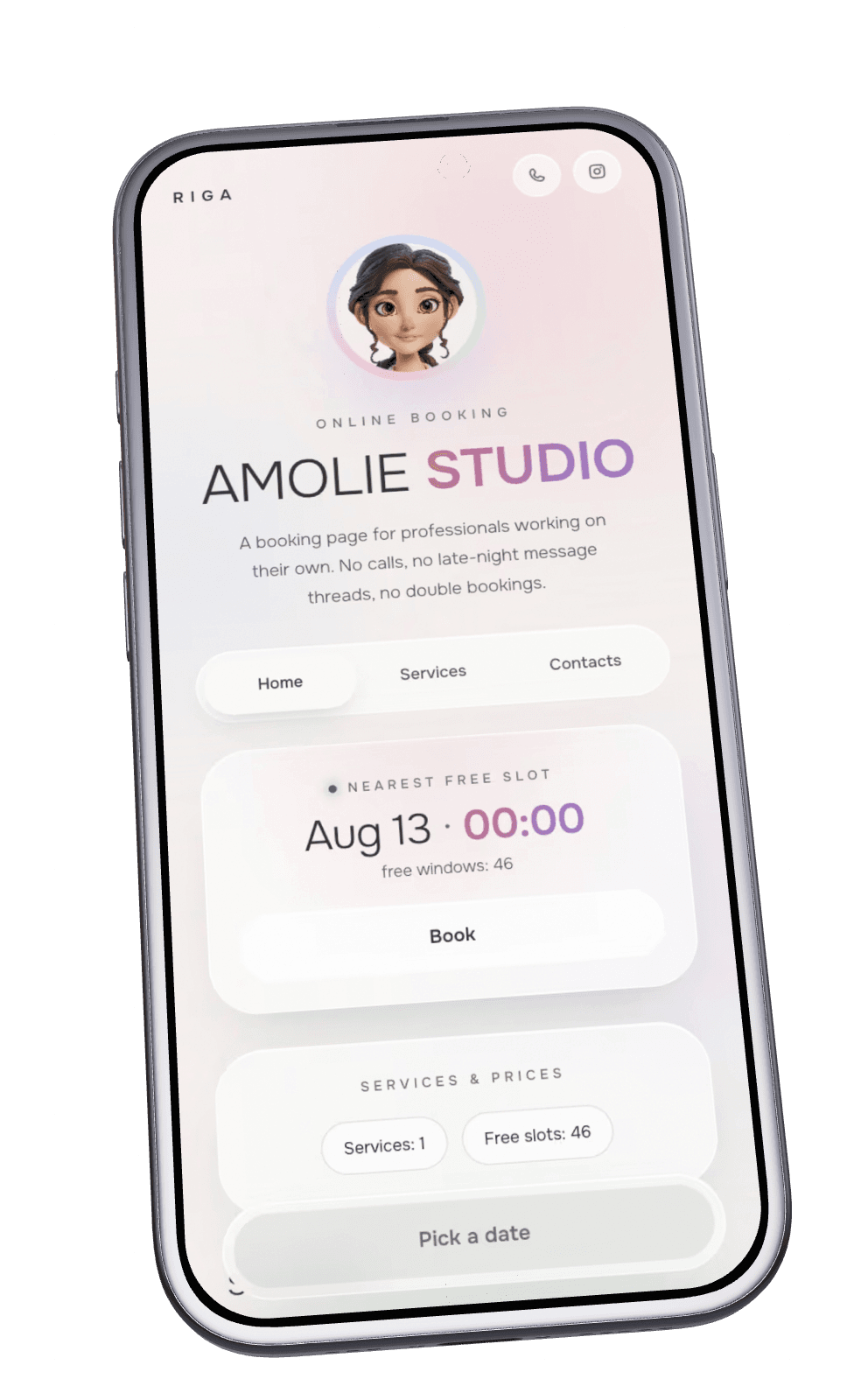
1 page.
Different looks.

The same booking page, wearing a different face. Pick one when you set up, change it whenever you like — the link your clients hold never changes.

Both sides at once

Four taps from the client.
One notification for you.

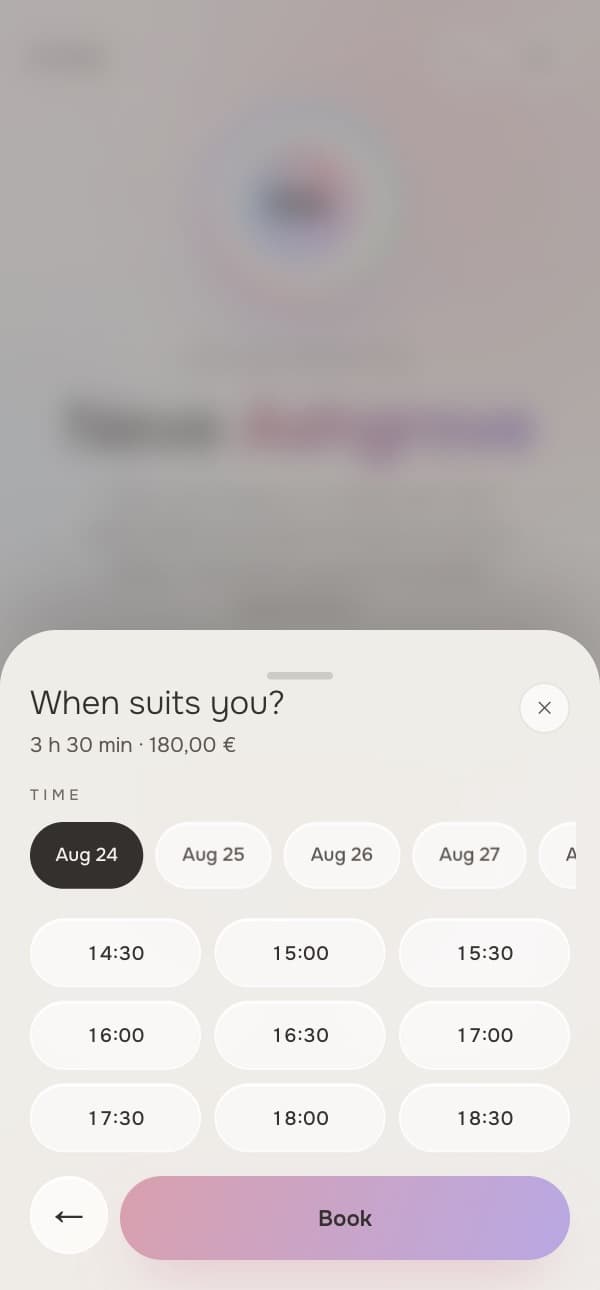
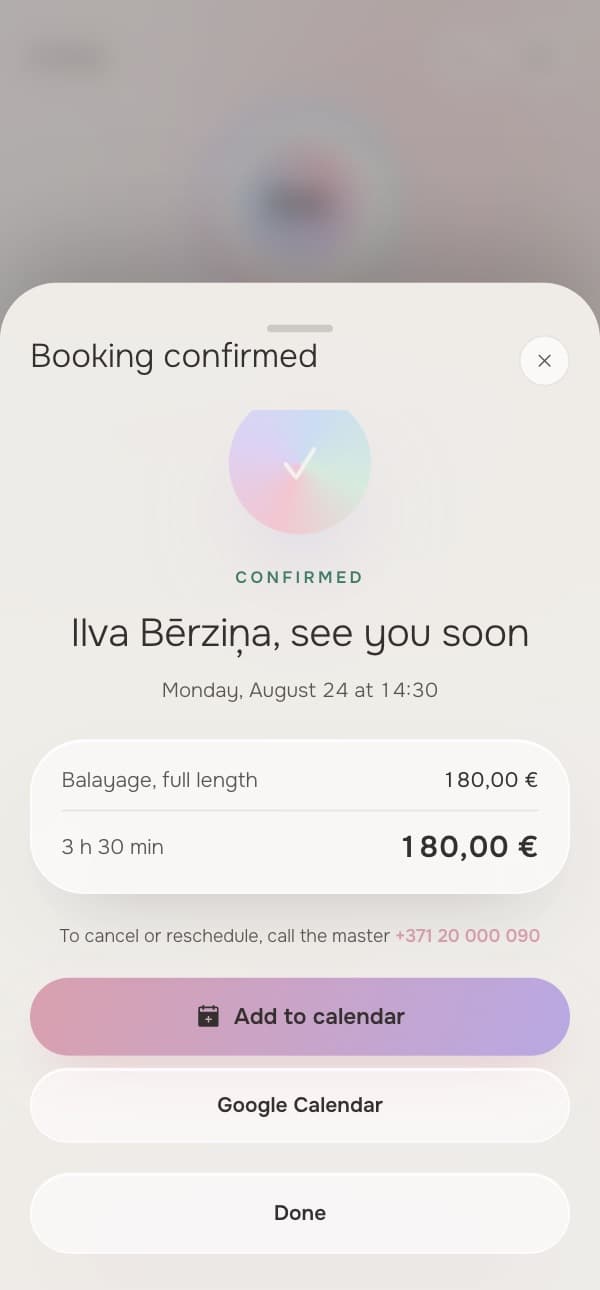
On the left, what the client does. On the right, what happens on your side in the same second. Both screens are real, taken from a working cabinet.
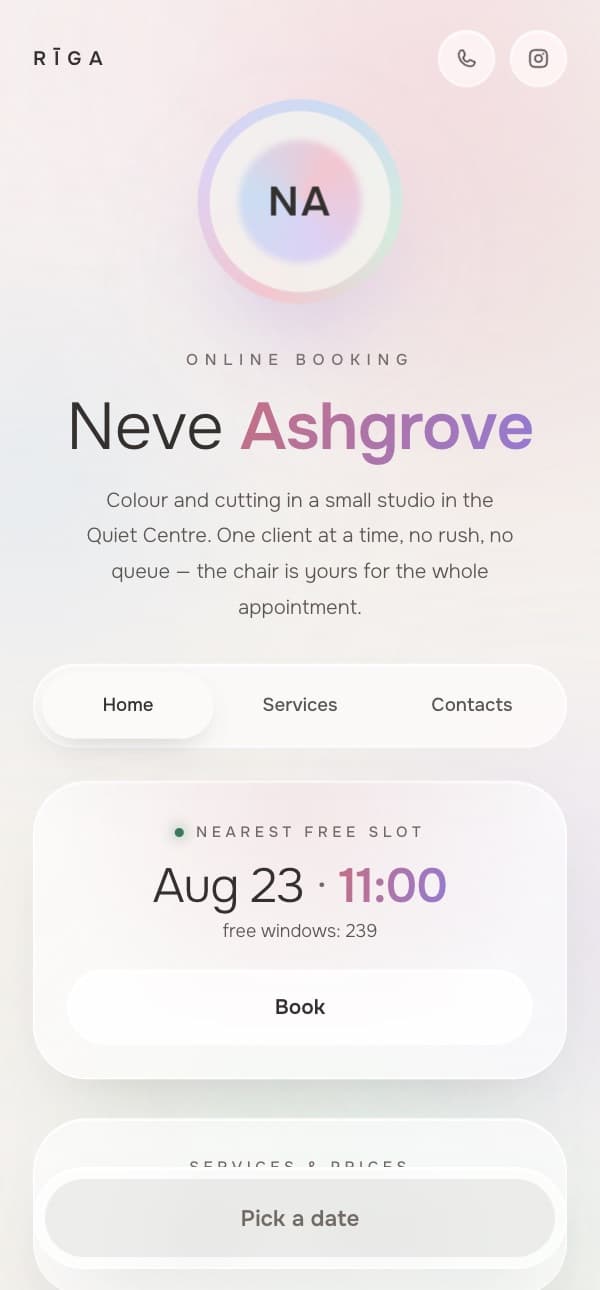
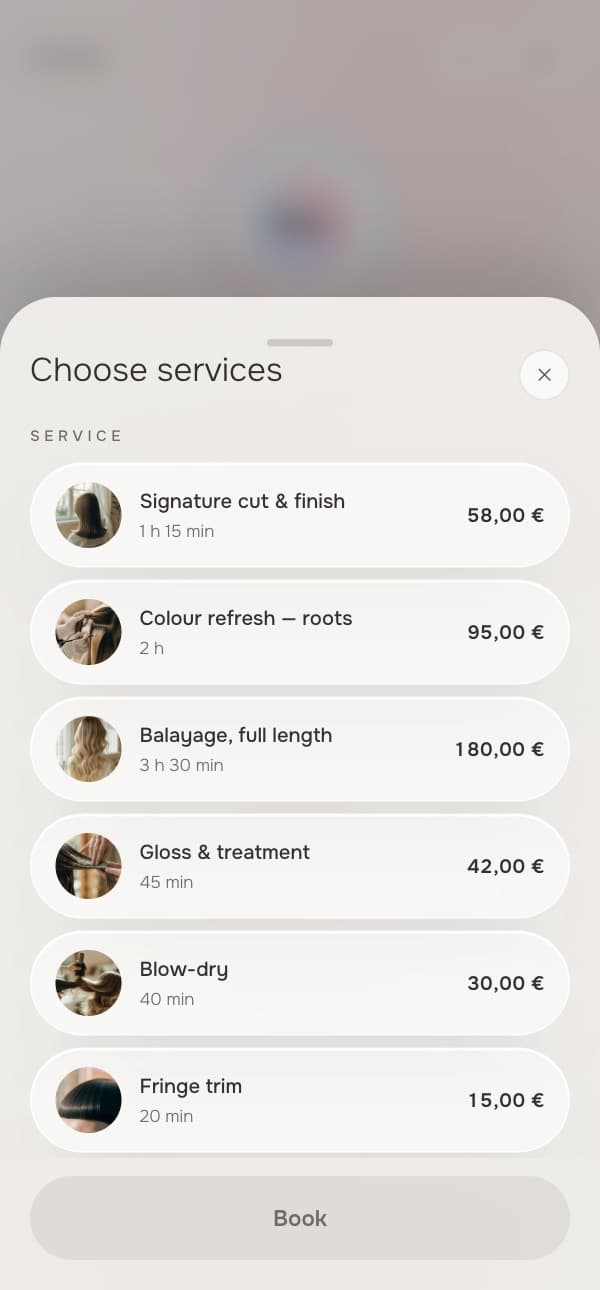
The client screen: picking a time and a service on the booking page
The client

23:42

Saturday, 22 August

New bookingIlva Bērziņa · 23 Aug, 16:30 · Balayage, full length
The master screen: a notification about a new booking over the cabinet
You
An empty studio at night with a single lamp left on

02:14

A third of bookings
arrive after you close.

Every one of them arrived while the studio was dark and the phone was face down.

The order of work

How it works

Three moves between an empty page and a morning where the day is already taken.

  1. 0110 minutes

    Build the page

    Services, durations, prices and working hours. Filled in once.

  2. 02One link

    Hand over the link

    It goes in the profile bio, in a message, on a card. Clients install nothing and register nowhere.

  3. 03Every morning

    Open the calendar in the morning

    The bookings are already there, with names, times and services. All that is left is to take the shift.

What masters usually ask

Six honest answers

I already have Instagram. Why another page?
The page does not replace Instagram — it takes the place of the link in your bio. The client taps through and picks a time, instead of writing to you and waiting.
Does the client have to install anything?
Nothing. No app, no account, no password: they open the link and book.
What happens to my old link if I change the address?
It keeps leading to you. The product remembers the last five addresses and forwards from each of them, so the cards and messages already out there do not break.
I want to confirm bookings myself. Is that possible?
That is how it works by default: every booking waits for your word in Bookings. Change your mind and one switch hands the confirming over to the page.
What if someone books a time I cannot take?
They cannot. Only the windows you published yourself can be booked; every other hour does not exist as far as the page is concerned.
Where is my clients’ data kept?
In the European Union, under GDPR. You are the only one who sees it — other masters on the platform have no access to your address book.

Let the page
work tonight.

The first page is built for free. Payment starts when the first booking comes through it.

Join nowNo card to start